
Reminders without an alarm time.

Keep reminders in view until you deal with them.

Petera is for reminders that do not need an exact alarm time. Add a reminder, choose when it should show up, and adjust it with simple controls.
Coming soon Android & iOS, Android first
  • Pick a title and when it should show up. Done in seconds.
  • Use the editor when you need more control over timing or details.
  • Settings let you set quiet hours, preferred days, and notification style.
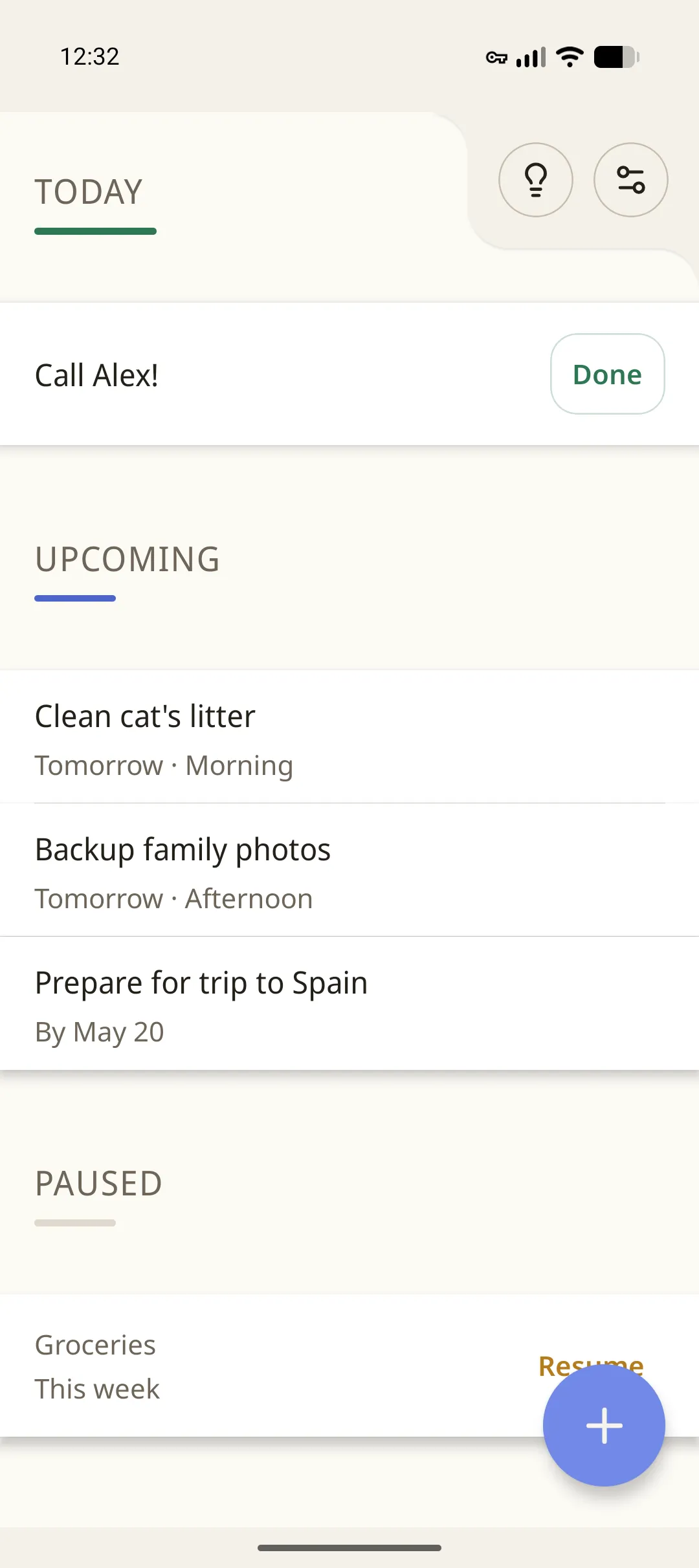
Petera Home screen with Today, Upcoming, and Paused sections.

Features

Straightforward tools, clear controls.

Home screen

See what needs attention now, what is coming up next, and what is paused.

Fast add flow

Add a reminder in a few taps.

Editor and settings

Control how each reminder behaves.

Screens

What it looks like.

Petera Home screen with tightly grouped reminders.

Home

See what needs attention now and what is coming up next.
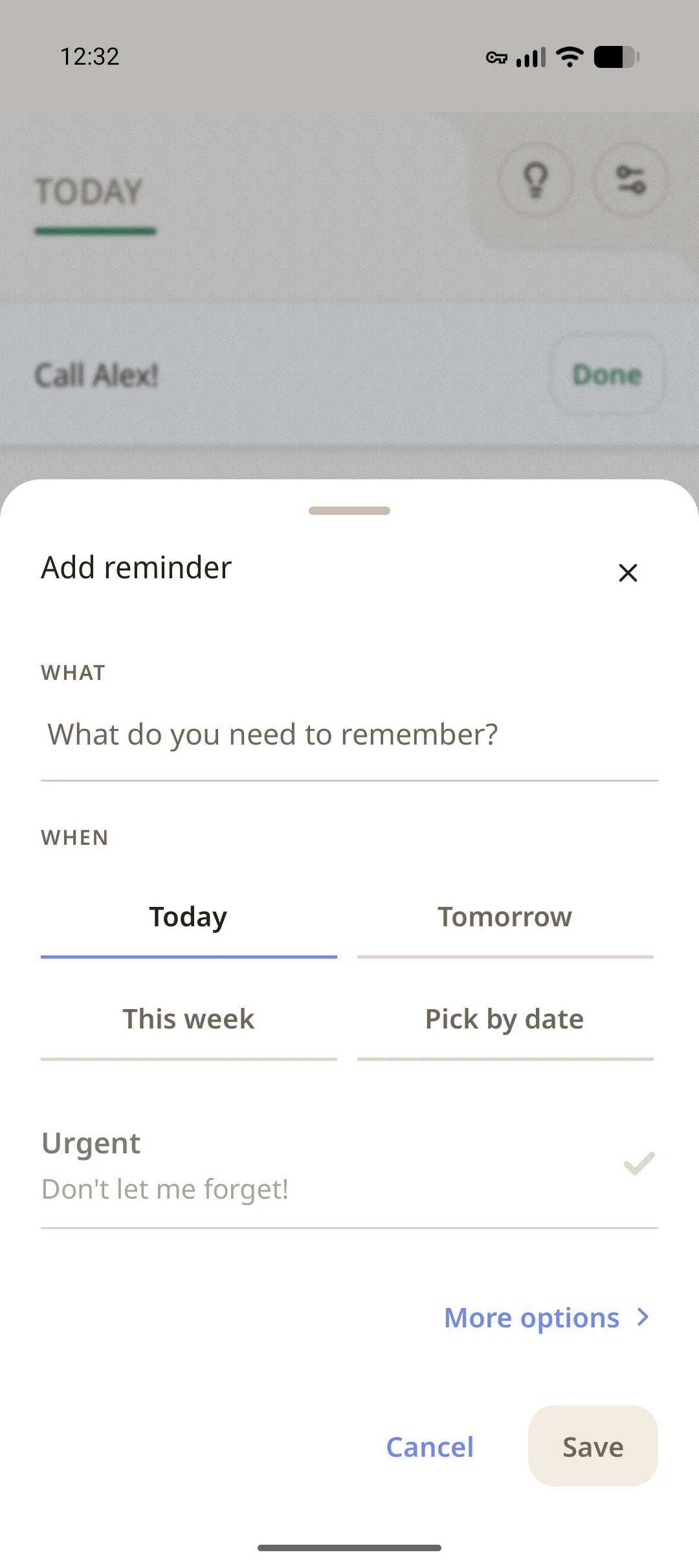
Petera quick add sheet with common timing options and 'Don't let me forget` options.

Quick add

Title and timing. That's the whole first step.
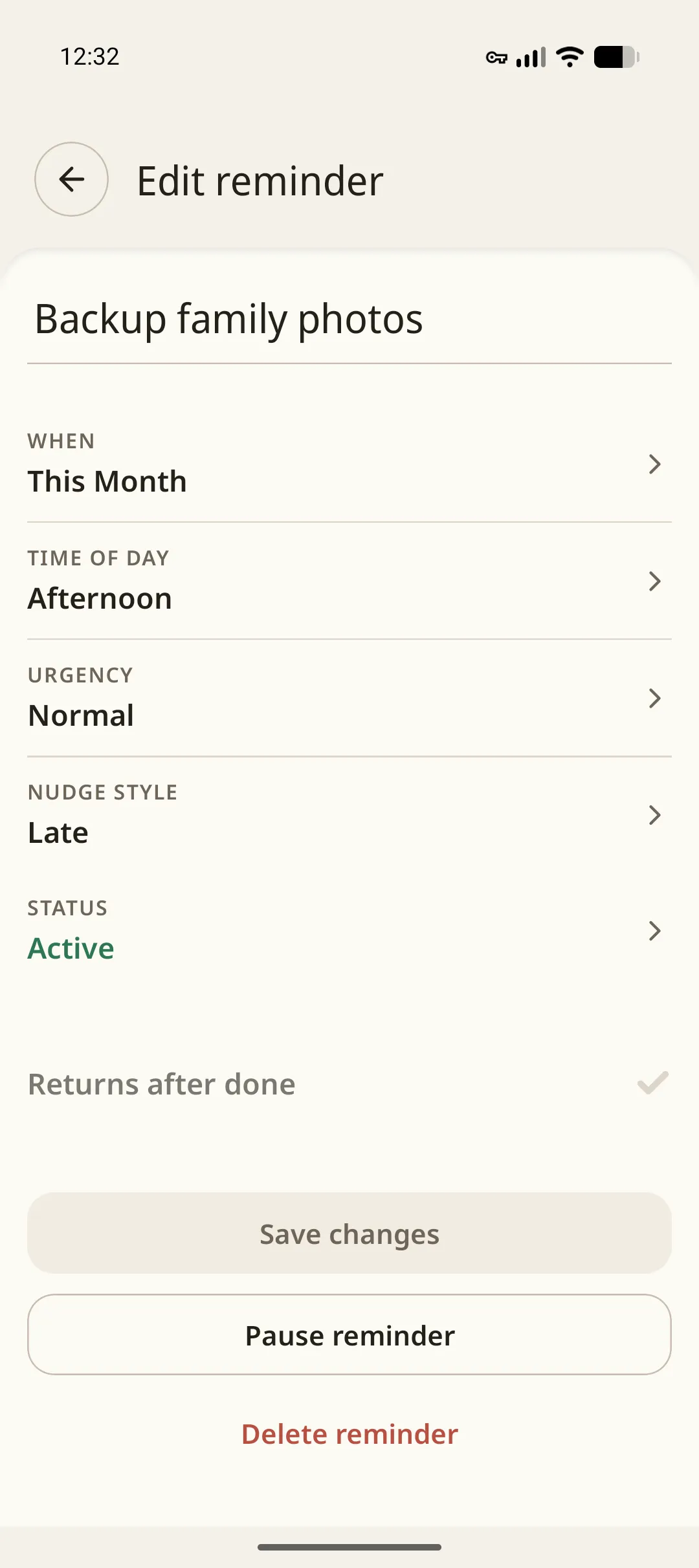
Petera reminder editor with fields for whatever you need.

Editor

Set urgency, recurrence, and anything else.
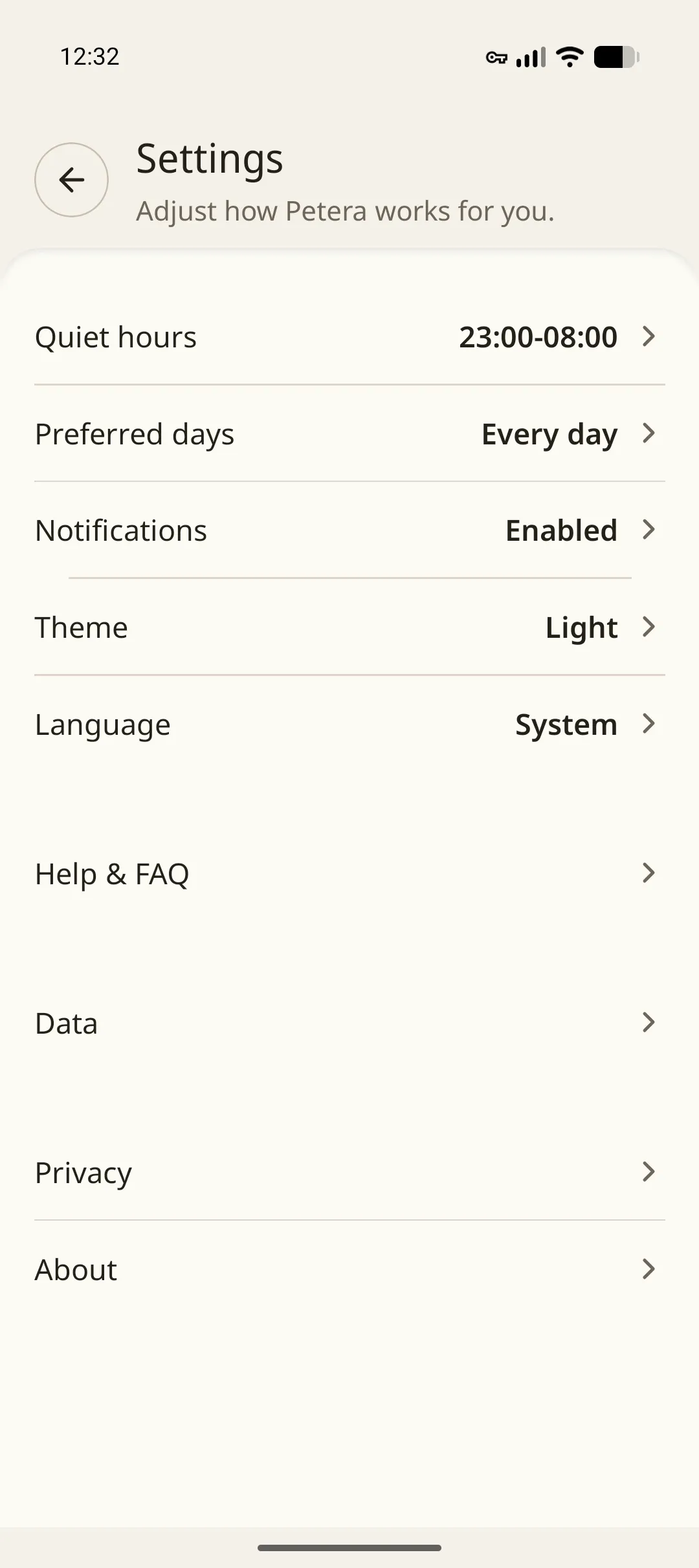
Petera settings screen with quiet hours, preferred days, notifications, theme, language, data, privacy, and about.

Settings

Quiet hours, preferred days, notifications, and more.

How it works

Three short steps.

01

Add a reminder

Tap the add button, enter a title, and pick when it should show up. Open the editor for more options.

02

Choose when to be reminded

Later today, next week, or a specific date. You pick.

03

Manage follow-up

Mark it done, bring it back later, pause it or get rid of it. It's up to you.

Privacy

Your reminder data stays on your device by default.

  • Petera stores reminders on your device.
  • Your data leaves the device only if you export it.
  • On-device processing only.
Read the privacy page

At a glance

Quick add Title, timing, and save
Editor Title, timing, recurrence, and more.
Settings Quiet hours, preferred days, notifications, theme, language, and more